We have compiled a list of manufacturers, distributors, product information, reference prices, and rankings for Layout design software.
ipros is IPROS GMS IPROS One of the largest technical database sites in Japan that collects information on.

Layout design software Product List and Ranking from 4 Manufacturers, Suppliers and Companies | IPROS GMS

Layout design software Product List

1~4 item / All 4 items

Displayed results

3D Office Designer 11 Professional EX

Ideal for office planning and office furniture proposals. An office layout and simulation software that allows you to create high-quality images and videos with easy operation.

With this software, you can create everything from the office structure diagram (floor plan), layout diagrams with office furniture and equipment arranged, high-quality 3D images after completion, to walkthrough movies of the office space. It includes over 55,000 materials for 3D creation, such as office furniture and equipment, household furniture and facilities increasingly introduced in refresh spaces, parts like ornamental plants, and textures like flooring and wallpaper. By simply placing them with a mouse, you can complete the image of the office space, making it accessible even for sales representatives who have not learned specialized design or CAD operations. Additionally, the software features functions for aggregating and numbering the arranged furniture, which can be utilized for preparing estimates and relocation plans, and it is also possible to transfer the information of the created office space to existing systems or other tools. Furthermore, the 3D data created with the 3D Office Designer can be shared using the app "IeCloud" provided by Megasoft, or you can experience the space with "Megasoft VR Solution" (sold separately).

  • Office furniture
  • Layout design software

Added to bookmarks

Bookmarks list

Bookmark has been removed

Bookmarks list

You can't add any more bookmarks

By registering as a member, you can increase the number of bookmarks you can save and organize them with labels.

Free membership registration

Solution: FactoryDesignUtilities

Autodesk products provide efficiency in factory layout through the Factory Layout feature.

We would like to introduce the solutions of our "Product Design & Manufacturing Collection." "Factory Design Utilities" can be used as a solution for factory layout, equipment design, and visualization by integrating it with "AutoCAD" and "Inventor." Additionally, before installing equipment in the factory, you can consider factory layout proposals and equipment placement positions in a virtual environment, allowing for more efficient design. 【Features】 <Factory Layout with AutoCAD and Inventor> ■ Efficient design, creation, and management of factory layout drawings in DWG format ■ Easily create accurate digital models during factory layout considerations ■ Automatic generation of 3D models ■ Reflection through modifications and additions to 3D models *For more details, please refer to the PDF materials or feel free to contact us.

  • 3D CAD
  • Other CAD related software
  • Layout design software

Added to bookmarks

Bookmarks list

Bookmark has been removed

Bookmarks list

You can't add any more bookmarks

By registering as a member, you can increase the number of bookmarks you can save and organize them with labels.

Free membership registration

dw-2000

LSI mask layout design tool

dw-2000 is the only mask layout tool that supports all major platforms, including Windows, Linux, Macintosh, SUN, and HP. Of course, data sharing between different platforms is also natively possible. It has robust macro building features based on VB and VC, allowing you to create a customized interface environment unique to your needs. Additionally, it comes with a standard Japanese manual and offers free training for purchasers, enabling you to master the operation with minimal training.

  • Other CAD
  • Layout design software

Added to bookmarks

Bookmarks list

Bookmark has been removed

Bookmarks list

You can't add any more bookmarks

By registering as a member, you can increase the number of bookmarks you can save and organize them with labels.

Free membership registration

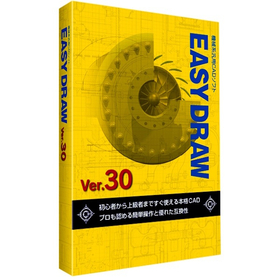
EASYDRAW Ver30 for Semiconductor Manufacturing Equipment

Strongly supports the layout design of semiconductor manufacturing equipment!

In the semiconductor manufacturing equipment industry, the miniaturization and high density of devices are progressing, making the accuracy of layout design crucial. In particular, optimizing component placement, securing wiring paths, and conducting interference checks are required within limited space. EASYDRAW Ver.30 addresses these challenges by providing large-capacity drawing editing, drawing comparison functions, and PDF drawing import capabilities, thereby supporting efficient and accurate layout design. 【Usage Scenarios】 * Layout design for semiconductor manufacturing equipment * Consideration of component placement * Design of wiring paths * Drawing revisions and change management 【Benefits of Implementation】 * Reduction in design time * Decrease in design errors * Cost savings * Improvement in design quality

Added to bookmarks

Bookmarks list

Bookmark has been removed

Bookmarks list

You can't add any more bookmarks

By registering as a member, you can increase the number of bookmarks you can save and organize them with labels.

Free membership registration